Weighted Average Calculator
Free weighted average calculator for UK university students. Enter your module grades and credit values to calculate your credit-weighted average and see how each module contributes to your overall degree classification.
| Module Name | Grade (%) | Credits | |
|---|---|---|---|
Combine Year 2 and Year 3 averages
Use this only when your programme publishes a simple two-year percentage split. It does not model best-credit, profile, rounding or other programme-specific algorithms.
What Is a Weighted Average?
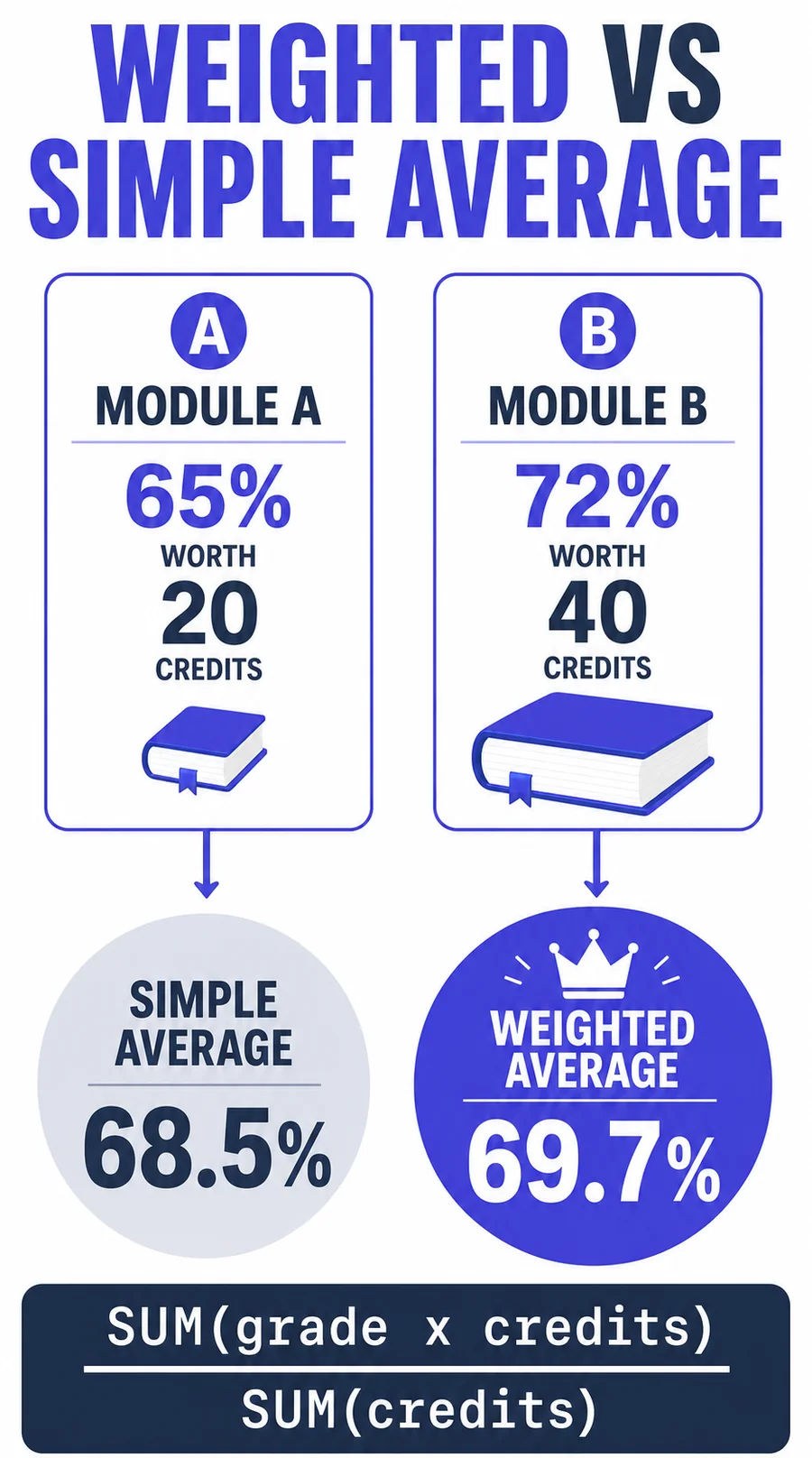
A weighted average is a calculation method where each value contributes to the final result in proportion to its assigned weight, rather than all values counting equally. In the context of UK universities, a credit-weighted average means your 40-credit dissertation has twice the influence on your overall grade as a standard 20-credit module. This is the foundation of how every UK university calculates degree classifications, and it is the reason a simple average of your marks will almost never match your official result.
The concept matters because UK degrees are built on credits. Each module carries a credit value that reflects its academic weight and study hours. When you use a weighted average calculator, you are applying the same formula your university uses to determine whether you graduate with a First, 2:1, 2:2, or Third.
How This Weighted Grade Calculator Works
This grade weight calculator uses the standard credit-weighted average formula used by UK universities. Unlike a simple grade average calculator that treats every module the same, our weighted average calculator multiplies each grade by its credit value, sums the products, and divides by total credits. The result is your true credit-weighted average.
The formula is:
Weighted Average = (Grade₁ x Credits₁ + Grade₂ x Credits₂ + ... + Gradeₙ x Creditsₙ) / Total Credits
Enter your module percentages and credit values above, and the calculator produces your average grade instantly. You can also enable the target grade feature to find out what marks you need on remaining modules to reach a specific classification.
Step-by-Step Weighted Average Calculation
Let us walk through a realistic example. Suppose you are a second-year History student with these modules:
| Module | Grade (%) | Credits | Weighted Value |
|---|---|---|---|
| Medieval Britain | 68 | 20 | 1,360 |
| Research Methods | 72 | 20 | 1,440 |
| Modern European History | 61 | 20 | 1,220 |
| Dissertation Preparation | 75 | 40 | 3,000 |
| Historical Theory | 58 | 20 | 1,160 |
Total weighted value: 1,360 + 1,440 + 1,220 + 3,000 + 1,160 = 8,180
Total credits: 20 + 20 + 20 + 40 + 20 = 120
Weighted average: 8,180 / 120 = 68.17% (Upper Second Class / 2:1)
Notice that the simple average of the five grades would be (68+72+61+75+58)/5 = 66.8%. The weighted average is higher (68.17%) because the 40-credit Dissertation Preparation, where you scored well at 75%, has double the influence of the standard modules.
Why Weighting Matters for Your Degree Classification
The difference between a weighted and unweighted average can be the difference between degree classifications. In the example above, both calculations fall within the 2:1 range, but in borderline cases the distinction matters enormously.
Consider a student with these Year 3 modules:
- Module A: 72% (20 credits)
- Module B: 68% (20 credits)
- Dissertation: 73% (60 credits)
Simple average: (72 + 68 + 73) / 3 = 71.0% (First)
Weighted average: (72x20 + 68x20 + 73x60) / 100 = (1440 + 1360 + 4380) / 100 = 71.8% (First)
In this case, the weighted average is slightly higher because the dissertation (where the student scored well) carries 60% of the credits. But if the student had scored poorly on the dissertation, the weighted average would have been dragged down more than the simple average.
Applying Year Weightings to Your Calculation
Most UK universities do not weight all years equally. The standard approach is to calculate a credit-weighted average for each year separately, then combine them using year weightings. Here is how to do it:
- Calculate Year 2 average: Enter all Year 2 modules into the calculator to get your Year 2 credit-weighted average.
- Calculate Year 3 average: Do the same for Year 3 modules.
- Apply year weightings: Multiply each year's average by its weighting percentage.
Example with 33/67 weighting:
- Year 2 average: 62% x 0.33 = 20.46
- Year 3 average: 71% x 0.67 = 47.57
- Overall: 20.46 + 47.57 = 68.03% (2:1)
This shows why strong final-year performance is so important. Even though the student averaged only 62% in Year 2, their 71% in Year 3 (weighted at 67%) pulled their overall average up to a comfortable 2:1.
Common Year Weighting Patterns Across UK Universities
| University | Year 2 | Year 3 |
|---|---|---|
| Most Russell Group universities | 33% | 67% |
| Manchester Met, Portsmouth | 30% | 70% |
| Some arts/humanities programmes | 40% | 60% |
| Scottish 4-year degrees (Yr 3/4) | 25-33% | 67-75% |
Always verify your specific programme's year weighting in your student handbook or academic regulations. Even within the same university, different departments may use different weightings. Check our Portsmouth, Sheffield Hallam, or Exeter calculator pages for more examples.
Strategic Implications of Weighted Grades
Understanding how weighting works gives you a strategic advantage in managing your academic performance:
- Prioritise high-credit modules. If your dissertation is worth 60 credits (half your year), it deserves at least half your study time for that year.
- Plan module choices wisely. If you have optional modules, consider which assessment methods suit your strengths. A student who excels at essays should not choose exam-heavy electives unless necessary.
- Use our target grade calculator. Enter your completed modules and use our target grade feature to see exactly what marks you need on remaining assessments.
- Do not panic about one bad module. A poor mark on a 20-credit module can be offset by strong performance on a 40 or 60-credit module. Use the calculator to see how much impact each module actually has.
Weighted Average vs Simple Average: When Does It Matter?
Many students wonder whether it makes a difference to use a weighted average calculator or just add up their grades and divide. The answer depends on whether your modules carry equal credits. Here is a direct comparison:
| Scenario | Simple Average | Weighted Average | Difference |
|---|---|---|---|
| All modules 20 credits | 65.0% | 65.0% | None, identical |
| Mix of 20 and 40 credits, high mark on 40-credit | 65.0% | 67.8% | +2.8% (weighted is higher) |
| Mix of 20 and 40 credits, low mark on 40-credit | 65.0% | 62.2% | -2.8% (weighted is lower) |
| 60-credit dissertation dominates | 66.0% | 69.4% | +3.4% (can change classification) |
When all your modules have the same credit value, a simple average grade calculator produces the same result as a weighted one. But the moment you have a dissertation, double module, or any mix of credit values, the weighted average is the only accurate method. Since almost every UK degree includes modules of varying credit sizes, you should always use a credit-weighted average for your calculations.
How to Calculate Your Grade Average Step by Step
If you want to understand the manual process behind this average grade calculator, follow these steps:
- List every module with its percentage mark and credit value. You can find credit values on your transcript or in your module handbook.
- Multiply each grade by its credits. For example, 68% on a 20-credit module gives 68 x 20 = 1,360.
- Sum all weighted values. Add up every product from step 2.
- Sum all credits. Add up the credit values of every module.
- Divide the weighted sum by total credits. This gives your credit-weighted average percentage.
- Compare to classification boundaries: 70%+ = First, 60-69% = 2:1, 50-59% = 2:2, 40-49% = Third.
Or skip the manual work entirely and enter your grades into the weighted average calculator above for an instant result.
Common Mistakes in Weighted Calculations
- Treating all modules equally. This is the most common error. A 20-credit and a 40-credit module do not have the same influence on your average. Always use a grade weight calculator that accounts for credits.
- Forgetting to include all modules. Every credited module in the relevant year contributes to your average. Do not leave out modules you did poorly on.
- Using wrong credit values. Check your transcript for the exact credit value of each module. Our module grade calculator can help you break down individual module marks. Do not assume all modules are 20 credits.
- Not applying year weightings. If you calculate Year 2 and Year 3 averages separately, remember to apply the year weighting before comparing to classification boundaries.
- Rounding intermediate results. Keep full decimal precision throughout. Rounding after each step can shift your final credit-weighted average by enough to cross a classification boundary.
- Confusing module weight with year weight. Module credits (e.g., 20 or 40) determine the weight within a single year. Year weightings (e.g., 33/67) determine how Year 2 and Year 3 combine. These are two separate layers of weighting, both handled by this weighted average calculator.
UK University Weighting Calculator: Credits and Years
This weighted grade calculator also works as a uni weighting calculator or weighting calculator for university students. Use credit values to calculate one year's average, then apply your course's published year weighting only when you combine Years 2 and 3. These are separate calculations, so do not use the Year 3 percentage as though it were a module credit value.
If you need the mark required for a particular outcome rather than your current average, move to the final grade calculator. It uses your completed credits and target percentage to model the remaining average you need.
Frequently Asked Questions
Related Calculators
University Grade Calculator
Calculate your overall degree classification from all module grades.
Module Grade Calculator
Calculate individual module grades from assessment components.
Final Grade Calculator
Find out what you need on remaining assessments to reach your target.
How to Calculate Weighted Average (Guide)
Step-by-step guide to understanding and calculating weighted averages.